
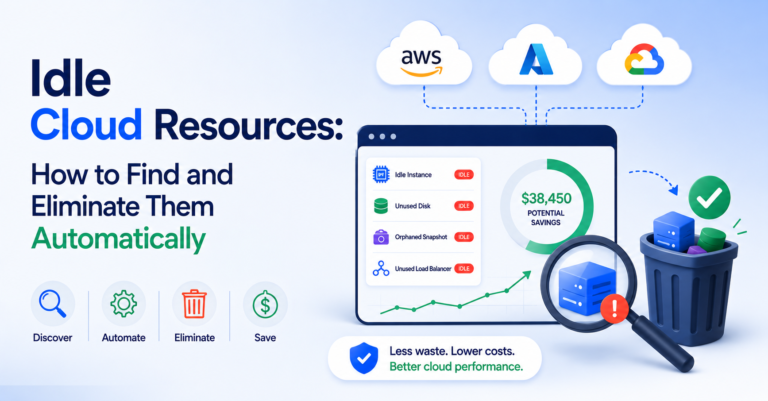
Idle cloud resources are the cleanest form of cloud waste because eliminating them carries zero performance risk — the only reason they persist is that nobody’s looking. An unattached EBS volume from a decommissioned instance. A load balancer with zero active targets. A snapshot taken before a migration that finished eight months ago. None of these resources are doing anything — no traffic, no compute, no purpose — and all of them are billing every single day.
Table of Contents
Why Idle Cloud Resources Accumulate
Idle cloud resources aren’t usually the result of carelessness — they’re the natural byproduct of normal engineering activity. A migration leaves the old environment running as a rollback safety net. A load test spins up infrastructure that never gets torn down after the test concludes. A team member leaves and their in-progress dev environment sits untouched. Each individual case is reasonable in isolation. Collectively, across an organization with hundreds of engineers making these calls independently, idle cloud resources compound into a meaningful percentage of total spend.
The Six Most Common Types of Idle Cloud Resources
| Type | What it looks like |
|---|---|
| Unattached storage volumes | EBS volumes, Azure managed disks, and GCP persistent disks left behind after their instance was terminated |
| Orphaned snapshots | Backup snapshots retained indefinitely with no retention policy, often numbering in the thousands after a few years of daily backups |
| Idle load balancers | Load balancers with no healthy targets or zero traffic, often left behind after a service migration |
| Unused Elastic/static IP addresses | Reserved IPs not attached to any running resource, which most providers bill for specifically because they’re a scarce resource |
| Zombie compute instances | Instances running with near-zero CPU utilization for weeks, usually forgotten dev/test environments or failed deployments |
| Idle managed databases | RDS, Cloud SQL, or Azure SQL instances provisioned for a project that wrapped up, left running because decommissioning wasn’t anyone’s explicit responsibility |
Why Manual Cleanup Doesn’t Keep Up With Idle Cloud Resources
A one-time cleanup sprint finds and removes the idle cloud resources that have accumulated up to that point — and then the accumulation starts again immediately, because the underlying behavior (leaving resources running “just in case”) hasn’t changed. Manual audits are inherently reactive: they catch what’s already idle, not what’s about to become idle.
Building Automated Idle Resource Detection
Effective idle resource elimination has three components:
- Continuous detection based on utilization thresholds, not a quarterly manual review — flagging resources with near-zero activity over a rolling window (typically 14–30 days, depending on resource type).
- Automated notification to the resource owner, which requires accurate tagging to know who to notify in the first place. See cloud tag management for the underlying discipline this depends on.
- A grace period before deletion, giving the owner a chance to confirm the resource is genuinely unneeded or flag it as an intentional exception (some resources are legitimately idle but required — disaster recovery standby capacity, for example).
Automated idle resource detection is also one of the fastest wins on the cloud cost optimization checklist — it’s zero-risk cleanup, the first category recommended there.
The Exceptions That Matter
Not everything that looks idle should be deleted automatically. Standby disaster recovery infrastructure, seasonal capacity held for predictable demand spikes, and compliance-mandated data retention can all look identical to genuine waste on a utilization dashboard. This is why automated idle resource detection needs an owner-confirmation step, not blind auto-deletion — the goal is eliminating waste, not creating new incidents by deleting something load-bearing that just happens to look quiet.
Idle Cloud Resources Across Multiple Providers
Running AWS, Azure, and GCP simultaneously multiplies the problem — idle cloud resources accumulate independently on each provider, and native consoles only show idle resources within that one provider’s view. See multi-cloud cost management for how that fragmentation compounds, and AWS vs Azure vs GCP cost if provider-specific pricing is part of your cleanup prioritization.
Automating the Find-and-Fix Loop
CloudPi, a multi-cloud cost management and governance platform, continuously scans for idle cloud resources across AWS, Azure, and GCP, routes flagged resources to the correct owner using your tagging data, and tracks the cleanup through resolution — turning idle resource elimination from a periodic sprint into a standing process that keeps waste from reaccumulating.
Frequently Asked Questions
What are idle cloud resources?
Resources that are provisioned and billing but serving no active purpose — unattached storage volumes, orphaned snapshots, idle load balancers, unused static IPs, zombie compute instances, and idle managed databases are the six most common types.
Why do idle cloud resources keep accumulating even with regular cleanup?
Because a one-time cleanup sprint only removes what’s already accumulated — the underlying behavior that creates idle resources (leaving things running “just in case” after a migration or test) continues, so accumulation restarts immediately after manual audits.
How is automated idle resource detection different from a manual audit?
It continuously flags resources with near-zero activity over a rolling window instead of catching them only during a periodic review, and routes the finding to the resource owner automatically using tagging data rather than relying on someone to run a report.
Should idle resources be deleted automatically once detected?
No — with a grace period and owner confirmation first. Some resources that look idle are legitimately required, like disaster recovery standby capacity or seasonal capacity, and blind auto-deletion risks creating an incident instead of just eliminating waste.
Why are unattached storage volumes and orphaned snapshots often the biggest idle cost category?
Because they accumulate silently and in high volume — snapshots taken daily over years without a retention policy, or storage volumes left behind after every instance termination, compound into a large number of small charges that no single alert catches.