
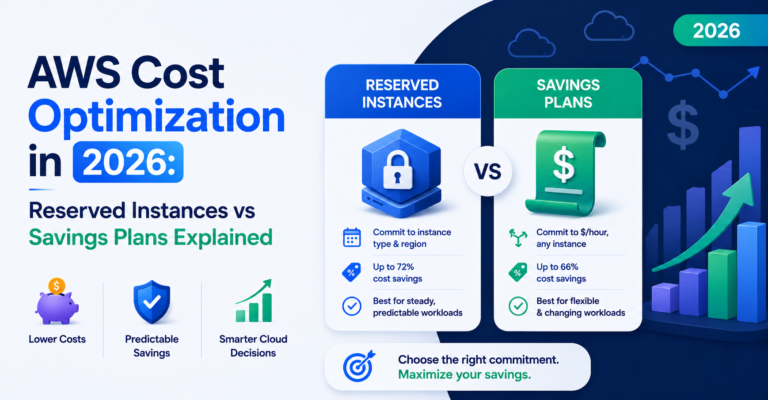
AWS cost optimization through commitment discounts comes down to one choice: Reserved Instances discount a specific shape of infrastructure, while Savings Plans discount a dollar amount of usage regardless of shape. Two teams commit to the same discount level on paper — around 40% off on-demand pricing — and six months later, one of them is stuck paying for capacity they no longer use while the other seamlessly shifted their commitment to match a changed architecture. The difference wasn’t the discount rate. It was whether they chose Reserved Instances or Savings Plans, and whether that choice matched how their infrastructure actually evolves.
Table of Contents
Reserved Instances vs Savings Plans: The Core Difference
Reserved Instances (RIs) commit you to a specific instance family, size, region, and optionally availability zone, in exchange for a discount of up to 72% versus on-demand pricing for Standard RIs (up to 66% for Convertible RIs, which trade some discount for the ability to change instance families). The commitment is tied to that specific configuration.
Savings Plans commit you to a dollar amount of compute usage per hour, for one or three years, and apply the discount automatically across any instance family, size, or even service — EC2, Fargate, Lambda, depending on the plan type — as long as your usage meets the committed spend level, with discounts up to roughly 72% as well.
| Reserved Instances | Savings Plans | |
|---|---|---|
| Commitment tied to | Specific instance family, size, region | Dollar amount of usage per hour |
| Max discount | Up to 72% (Standard), up to 66% (Convertible) | Up to ~72% (EC2 Instance Savings Plans), ~66% (Compute Savings Plans) |
| Flexibility | Low (Standard) to moderate (Convertible) | High — applies across instance family, size, and eligible services |
| Resale option | Yes — AWS Reserved Instance Marketplace | No |
When Reserved Instances Are the Right AWS Cost Optimization Move
- Extremely stable, unchanging workloads — a database instance type that hasn’t changed in two years and has no roadmap to change.
- Maximum discount is the priority over flexibility — Standard RIs can offer slightly deeper discounts than equivalent Savings Plans in some cases, particularly with 3-year terms and All Upfront payment.
- You want to sell unused capacity — RIs can be sold on the AWS Reserved Instance Marketplace if your usage changes; Savings Plans cannot be resold.
When Savings Plans Are the Right AWS Cost Optimization Move
- Infrastructure that evolves — if instance types get right-sized, workloads shift between families, or you adopt Fargate or Lambda for some services, Savings Plans keep applying the discount without requiring you to purchase new commitments.
- Simplified management — one dollar-amount commitment is easier to track and reconcile than a portfolio of RIs across different instance types and regions.
- Compute Savings Plans specifically offer the most flexibility, applying across instance family, size, OS, tenancy, and region, and even across EC2, Fargate, and Lambda.
For most companies actively developing and scaling their infrastructure — which is most companies — Savings Plans are the more practical default for AWS cost optimization in 2026, precisely because they don’t lock in a specific architecture that’s likely to change.
The Sequencing Mistake That Costs the Most
The single biggest mistake in AWS cost optimization isn’t choosing RIs over Savings Plans or vice versa — it’s committing to either one before AWS rightsizing is complete. A Savings Plan committed against an oversized fleet locks in a dollar-amount commitment based on inflated usage. Right-size first, establish your actual steady-state usage, then commit. See the cloud cost optimization checklist for where rightsizing fits in a broader sequence.
A Practical AWS Cost Optimization Approach for 2026
- Rightsize your fleet based on 30+ days of utilization data — this is the AWS rightsizing step nothing else in this sequence should skip.
- Cover your most stable, unchanging workloads with RIs if you want the marginally deeper discount and don’t mind the reduced flexibility — otherwise default to Savings Plans even here.
- Cover the rest with Compute Savings Plans, sized to roughly 60–70% of your steady-state baseline usage, leaving room for on-demand or spot to absorb variability without over-committing.
- Review AWS commitment coverage quarterly, adjusting new purchases as usage patterns shift — treat commitments as a portfolio to manage, not a one-time purchase.
If you’re also weighing this decision against workloads on other clouds, see AWS vs Azure vs GCP cost for how committed-use pricing compares across providers, and Databricks cost calculator guide if your AWS spend includes Databricks workloads with their own DBU pricing layer on top of compute.
Tracking AWS Commitment Coverage Without the Spreadsheet
Knowing whether your RI and Savings Plan coverage still matches your actual usage requires ongoing analysis, not a one-time calculation at purchase time. CloudPi, a multi-cloud cost management and governance platform, tracks commitment utilization and coverage gaps continuously, alongside rightsizing recommendations, so your AWS cost optimization strategy stays matched to how your footprint actually evolves.
Frequently Asked Questions
What’s the main difference between Reserved Instances and Savings Plans?
Reserved Instances discount a specific instance configuration — family, size, and region — while Savings Plans discount a dollar amount of hourly usage that applies automatically across any eligible instance family, size, or service, making Savings Plans more resilient to infrastructure changes.
What’s the maximum AWS discount available through Reserved Instances or Savings Plans?
Up to 72% off on-demand pricing for Standard Reserved Instances or EC2 Instance Savings Plans, and up to roughly 66% for Convertible Reserved Instances or Compute Savings Plans, which trade some discount for added flexibility.
Should I rightsize before or after committing to Reserved Instances or Savings Plans?
Before. Committing to either one against an oversized fleet locks in a dollar-amount or instance-shape commitment based on inflated usage — rightsize first, establish actual steady-state usage, then commit.
Are Savings Plans or Reserved Instances better for most companies?
Savings Plans are the more practical default for most actively developing companies, since they keep applying the discount as instance types get right-sized or workloads shift between families, without requiring new commitments each time.
How often should AWS commitment coverage be reviewed?
Quarterly. Treat Reserved Instance and Savings Plan coverage as a portfolio to manage on an ongoing basis, not a one-time purchase decision, since usage patterns shift as infrastructure evolves.