
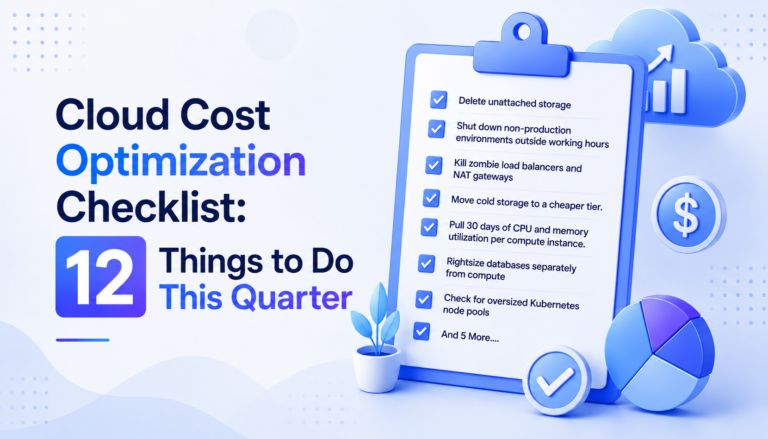
This cloud cost optimization checklist works because of its order, not just its content. Zero-risk cleanup comes first, rightsizing second, and commitments or governance last — so each step pays for the coordination the next one needs. Most cloud cost audits stall because they start with “let’s review everything,” which is a project, not a checklist, and it dies in a backlog. This one is built to be worked in a single sitting, in sequence, and stopped when you run out of time — not when the list runs out.
Table of Contents
Why a Cloud Cost Optimization Checklist Needs a Fixed Order
The teams that actually cut spend every quarter work a fixed list, in order. Here’s the list, grouped by how fast each item pays back — zero-risk wins first, rightsizing second, commitment and governance last.
Week One: Zero-Risk Wins to Start Your Cloud Cost Optimization Checklist
- Delete unattached storage. Orphaned EBS volumes, unused snapshots older than your retention policy, and unattached Elastic IPs cost money and serve nothing. This is a five-minute query per account, and AWS’s own guidance on unattached resources confirms this is one of the highest-frequency waste categories in most accounts.
- Shut down non-production environments outside working hours. Dev, staging, and QA environments running 24/7 for a team that works 9-to-5 waste roughly 65% of their runtime cost.
- Kill zombie load balancers and NAT gateways. These are easy to leave behind after a service migration and bill continuously whether traffic hits them or not.
- Move cold storage to a cheaper tier. Anything untouched for 90+ days in S3 Standard or Azure Hot tier should move to Infrequent Access, Cool, or Archive.
Week Two: Rightsizing Items on the Cloud Cost Optimization Checklist
- Pull 30 days of CPU and memory utilization per compute instance. Flag anything under 40% average utilization.
- Rightsize databases separately from compute. RDS and Cloud SQL instances are frequently oversized because nobody revisits the initial sizing after launch traffic normalizes.
- Check for oversized Kubernetes node pools. Cluster autoscalers often default to conservative minimums that never get tuned after initial setup.
- Right-size reserved capacity to match rightsized instances — don’t optimize compute and leave the reservation locked to the old instance type.
Week Three: Commitment and Governance
- Buy savings plans or reserved instances only after rightsizing is done. Locking in a discount on an oversized instance wastes the commitment.
- Audit tagging coverage. If less than 90% of resources carry an owner/team tag, cost allocation is unreliable and every optimization decision downstream is a guess. The FinOps Foundation’s tagging best practices put 90%+ coverage as the benchmark for reliable allocation.
- Set budget alerts on the accounts most likely to spike — usually the ones running experimental workloads or third-party integrations with usage-based pricing.
- Review data transfer costs between regions and availability zones. Cross-AZ traffic between chatty services is one of the least-audited cost categories because it doesn’t show up as a distinct line item on most dashboards.
Why Order Matters in Any Cloud Cost Optimization Checklist
Doing this list out of order costs money. Buying reserved capacity before rightsizing locks in waste. Auditing tags before cleaning up idle resources means auditing resources you’re about to delete anyway. The sequence above front-loads the changes with zero risk and immediate payback, so the checklist earns its own budget before you get to the items that need more coordination. For the full reasoning behind rightsizing-before-commitment, see how to reduce cloud costs by 30%; for the operating model this checklist fits inside, see what is FinOps.
Making the Checklist Recurring
A checklist run once a year catches the waste that’s accumulated in twelve months. A lot of that waste compounds — an unattached volume from January is still billing in November. Running this cloud cost optimization checklist quarterly, with the utilization data pulled fresh each time, keeps the gap between provisioned and actual usage from growing back.
CloudPi, a multi-cloud cost management and governance platform, automates steps 1, 2, 3, 4, 5, 6, 7, and 10 — surfacing idle resources, rightsizing candidates, and tag coverage gaps continuously across AWS, Azure, and GCP, instead of requiring a manual pull every quarter.
Frequently Asked Questions
What should be first on a cloud cost optimization checklist?
Zero-risk cleanup — deleting unattached storage, shutting down non-production environments outside working hours, and killing zombie load balancers — since these save money immediately with no performance tradeoff.
How often should you run a cloud cost optimization checklist?
Quarterly, with utilization data pulled fresh each time. Waste compounds between runs — an unattached volume from January is still billing in November if the checklist only runs once a year.
Why does rightsizing come before buying reserved instances on this checklist?
Because reserved instances and savings plans lock in a discount on whatever instance size you commit to. Rightsizing first ensures the commitment reflects actual usage instead of locking in oversized capacity for one to three years.
What percentage of resources should carry a cost-allocation tag?
At least 90%. Below that threshold, cost allocation becomes unreliable and every optimization decision made from the data is effectively a guess.
Can a cloud cost optimization checklist be automated?
Steps like idle resource detection, rightsizing candidates, and tag coverage audits can run continuously with a FinOps platform like CloudPi, rather than being pulled manually each quarter.
View comments (2)